Design review
Crown CAD revisions: a clearer review checklist
“Please improve the crown” leaves too much room for interpretation. A useful review connects each requested change to the original brief, a clear view and the lab’s acceptance criteria.
The short answer
Review the crown against the agreed prescription and lab preferences, then send one consolidated revision list. Identify the case, tooth, current version and exact area to change. Use annotated views where helpful, and distinguish a design correction from a new scan or changed prescription so the next revision has a clear target.
What should your lab review before requesting changes?
The lab’s qualified reviewer should assess the design in its intended workflow. Use the prescription, material instructions and your established production requirements rather than applying a universal setting to every restoration.
- Check tooth identification, restoration type and the current brief.
- Review margin interpretation, contact areas, occlusal relationships and requested anatomy.
- Check the agreed material and manufacturing requirements with the responsible lab team.
How do you write an actionable crown revision request?
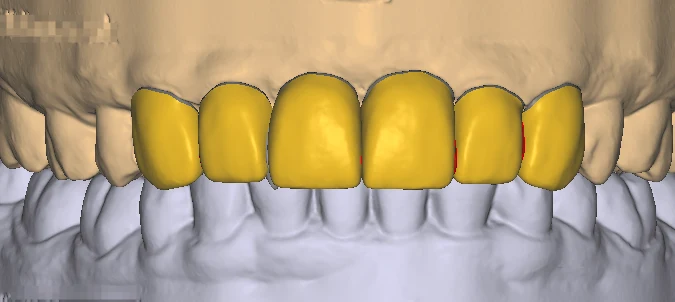
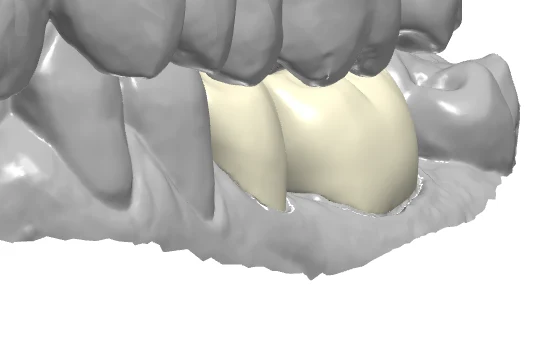
Use the same structure for each comment: location, current observation and requested result. A marked CAD view often explains a specific region better than a long message. Combine comments from multiple reviewers before sending.
- Reference the exact file version and tooth numbering system.
- Attach clearly marked views without patient-identifying information.
- Separate required corrections from optional preferences or a changed design brief.
How do you prevent revision and file confusion?
One review owner helps the designer work from a coherent instruction set. Keep earlier files for traceability, but label the accepted revision so the manufacturing team receives the approved output.
- Use a case code and revision sequence such as R01 and R02.
- Confirm any additional scope or changed inputs before redesign begins.
- Record the lab approval and send only the intended final version onward.
Frequently asked questions
Can a CAD screenshot show that a crown is ready to manufacture?
A screenshot helps communicate shape and review comments. The responsible lab still needs to check the actual design files, prescription and intended production workflow.
What if the scan or prescription changes after the first design?
Identify the new input and explain which part of the previous brief it replaces. Agree the revised scope and delivery target rather than treating different inputs as an unexplained correction.
How can we reduce repeated crown revision messages?
Use a lab preference sheet and one consolidated review list. Track recurring comments so the next case starts with clearer instructions.