Files & compatibility
STL, PLY or native project: which dental CAD files should a lab send?
A file extension tells you part of the story. A reliable dental CAD handoff also identifies what the file represents, which software will open it and what the receiving team needs to do next. Begin with that next task before choosing an export.
The short answer
Use a supported mesh format for geometry exchange, a color-capable format when the workflow needs color, and an agreed native project package when editable case context is required. STL is commonly used for surface geometry; PLY can include color when the exporter and importer support it. Neither extension alone proves that a complete, editable dental CAD case has been delivered.
Lab workflow templates
Download a blank CSV to adapt for your lab. Use the agreed secure channel for completed case records.
Start with the receiving task, not the largest folder
An input scan, a designed crown and a printable model may all be mesh files, but they serve different purposes. Ask whether the recipient will create a design, review an existing proposal, revise a saved project or prepare manufacturing. Write the required outputs alongside the inputs so a scan export is not mistaken for a completed restoration.
- Label upper, lower, bite and restoration files by their actual role.
- State the target software, version, restoration scope and required deliverables.
What does each file type preserve?
STL normally carries a triangulated surface without the color information used in a color scan. PLY can carry surface geometry and color properties, but export settings and receiving software determine what survives. A native project may preserve job definitions, design state and references; it may still need matching versions, installed libraries, permissions or related files.
- Check a representative import rather than assuming that a supported extension guarantees full compatibility.
- Do not rename an extension or convert a mesh and describe the result as the original editable project.
Build a small manifest for every handoff
List each file, its role, its version and the task it supports. For a crown workflow, the manifest could identify the prepared arch, antagonist, bite relationship, written design brief and requested review outputs. If implant components are involved, separately confirm the approved component library and references. The manifest records what is available; it does not certify clinical suitability.
- Use a de-identified case ID, consistent tooth notation and a stated revision number.
- Record missing inputs explicitly and agree who supplies them before the design target is confirmed.
Separate viewing, editing and manufacturing approval
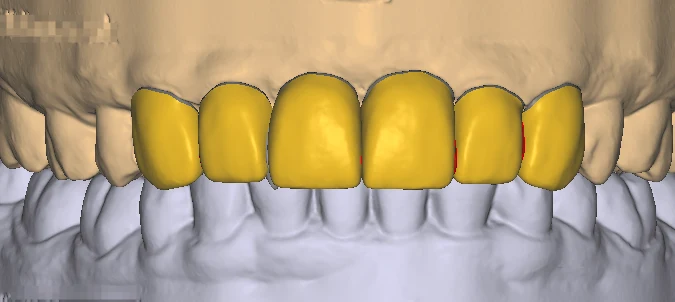
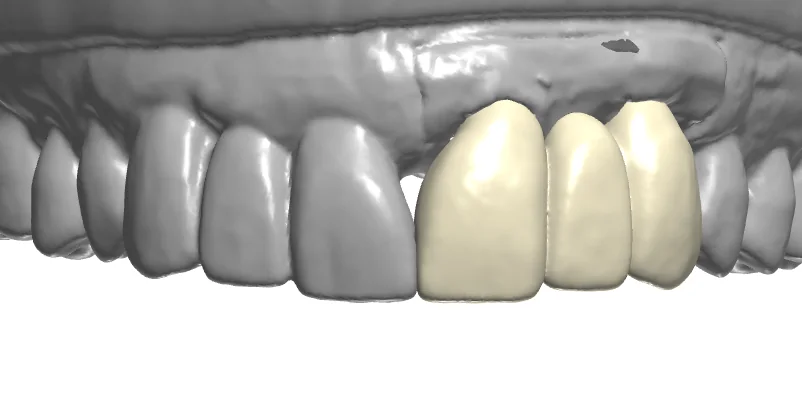
A screenshot or interactive preview can help discuss a proposal without granting access to the working project. It cannot substitute for the agreed editable files or manufacturing outputs. Review links can also expire. exocad documents dentalshare collaboration and webview sharing as distinct functions; the laboratory should retain the accepted files and its own approval record.
- Test that the intended reviewer can access the preview and identify the same design version.
- Record which files are approved for the next step and which are reference only.
Run an import check before routine outsourcing
3Shape documents scan export conditions in Dental Manager, including accepted orders, export options and version-dependent PLY availability. Other scanners and software have their own conditions. For the first handoff, have the receiving designer report which files opened, whether expected color appeared and whether the planned edit was possible. Resolve incompatibilities before increasing workload.
- Keep the unaltered source export and describe any conversion in the manifest.
- Agree a secure transfer channel, access owner and archive responsibility; do not use a temporary transfer link as the only archive.
Frequently asked questions
Is a PLY file always better than STL?
No. Choose the format the receiving task and software support. Color may be useful, but it does not automatically improve surface geometry, add missing case information or make the project editable.
Can a finished STL be opened as the original native CAD project?
A mesh can often be imported as geometry. That is different from reopening the original job definition, design history and editable scene. Confirm which native files and dependencies are actually required.
What should I send Mocoore for an initial compatibility check?
Describe your software and version, restoration type, available file roles and expected outputs. Agree the transfer channel before sharing a de-identified representative case; the public contact form is for business details.